Getting started with the Marketplace module
Keep your own records of Fiverr, Upwork and Freelancer.com orders: what the module is, how to turn it on, orders and projects, and plan limits.
The Marketplace module is your own notebook for work you do through freelance marketplaces such as Fiverr, Upwork and Freelancer.com: orders, tracked time, task notes, proof of work, weekly hour reports and earnings. It is not part of any marketplace and is not endorsed by one.
What Invollo never does
- It never logs in to a marketplace, never asks for your marketplace password and never sends anything there for you.
- It never reads marketplace pages by itself. You copy reports, replies and files into the marketplace using its own forms.
- It never emails or invoices marketplace clients. The marketplace handles the client and the billing.
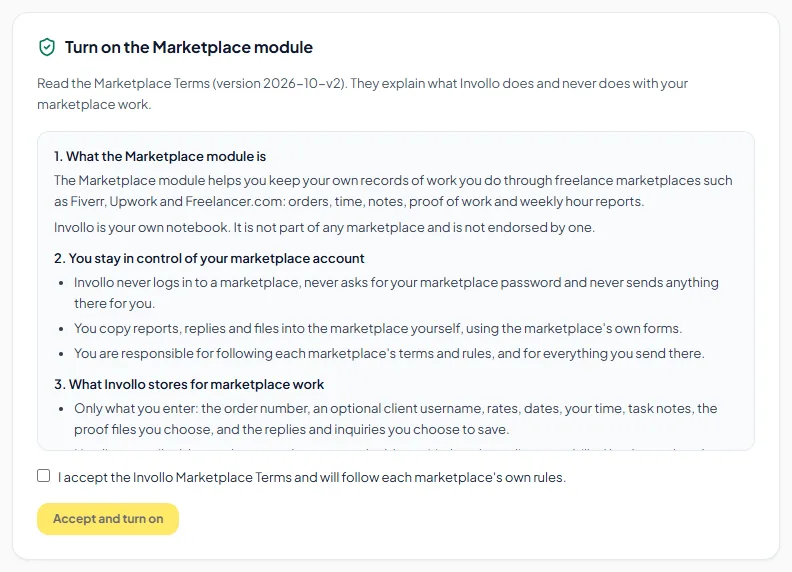
Turning the module on
- Click Marketplace in the sidebar.
- Read the Marketplace Terms under "Turn on the Marketplace module".
- Tick "I accept the Invollo Marketplace Terms and will follow each marketplace's own rules." and click Accept and turn on.
Adding an order
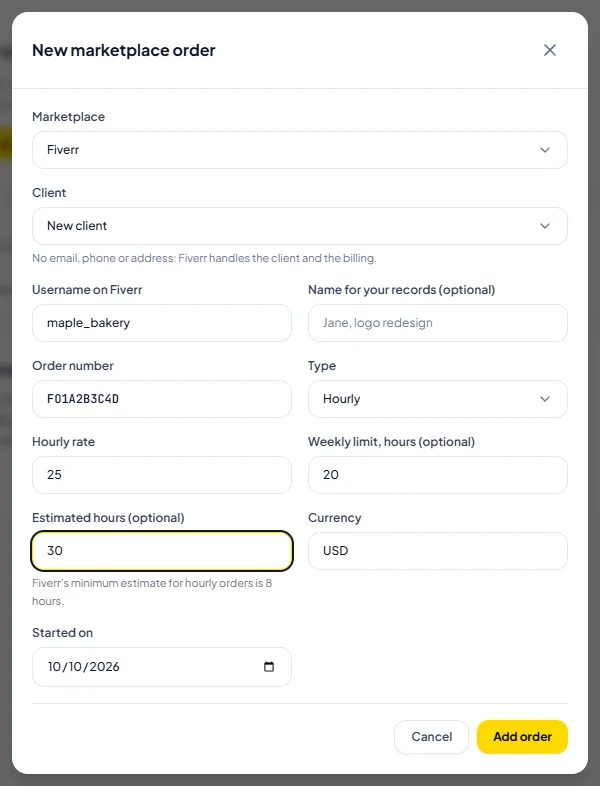
- On the Marketplace page, click New order.
- Choose the Marketplace, then pick an existing client or New client and type the buyer's Username on the marketplace. No email, phone or address is needed: the marketplace handles the client and the billing.
- Enter the Order number as shown on the marketplace (for example FO1234ABCD) and choose the Type: Hourly, Fixed price or Milestones.
- For hourly orders, add the Hourly rate and, if the order has them, the Weekly limit and Estimated hours. Fiverr's minimum estimate for hourly orders is 8 hours.
- Project for this order's time: when the client already has a project that no order uses, choose Use an existing project and pick it, or Create a new project. If exactly one of the client's projects matches the order type (hourly or fixed), it is picked for you, so the hours you already tracked on it count toward the order.
- Click Add order. With Create a new project, Invollo adds a project named after the order (for example "Fiverr FO1234ABCD"). Track time on the order's project in the Time Tracker, the desktop tracker or the browser extension.
Orders and projects
Each order counts the time on one project: the week, the weekly limit bar, the proof pack and the earnings all use that project's hours. A project belongs to at most one order. The order page shows it under the order facts as "Project: …".
Tracked time on a project before you added the order? Open the order and click Link a different project. The dialog lists the client's other projects that no order uses, with their hours, and says what will happen before you confirm:
- The order's project has no time yet: the order switches to the project you pick, so its hours count toward the order. The empty project is archived, not deleted.
- Both projects have time: the time entries of the project you pick move into the order's project, with their notes, screenshots, proof and "Check this entry" marks. The emptied project is archived, not deleted.
- Time that is already on an invoice, or a project with a timer running, stays where it is.
In Projects, New project shows a short note when the client is a marketplace client: "Marketplace work? Create an order instead". The New order link opens the order form for that client. A plain project is still allowed.
In the Time Tracker, the desktop tracker and the browser extension, an order's project shows a small badge such as "Fiverr FO52A…". A marketplace client's project that no order uses shows "These hours won't count toward a Fiverr order. Link it to an order?", which opens that client's orders. The timer still starts as usual.
Plans
- Free: one active marketplace order at a time, with weekly reports, delivery tracking and earnings.
- Pro: unlimited active orders, plus proof packs.
- Business: everything in Pro, plus the agency team sheet with member payouts and payslips.
Related Guides
Fiverr hourly orders and the weekly report
Track hours in Fiverr's UTC week, fix the warnings, and copy the text for Fiverr's Report hours form.
Fixed-price and milestone orders
Track delivery dates, revisions, extensions, extras and milestones on fixed-price and milestone orders.
Marketplace earnings, withdrawals and statement check
See what you earned after fees, when it clears, what you withdrew, and check it against your Fiverr statement.
Ready to streamline your invoicing?
Start on Invollo’s free plan with no credit card required. Manage invoices, time tracking, and client billing in one place.