For small service businesses
Invoices, expenses and reports without a finance team
Invollo gives a small service business the essentials in one place: professional invoices with online payment, automatic overdue reminders, expense tracking and a dashboard that shows what you earned, what you’re owed and what you spent.
Free forever plan · Invollo never holds your money
The problem
You need to know three numbers, and they live in five places
Small service business owners need to know what they billed, who hasn’t paid, and what they spent. Scattering those numbers across bank apps, receipts, and templates slows down cash flow. Invollo gives you invoices with online payments, expense logging, and an executive dashboard—without accounting complexity.
How it works
How a small business runs billing in Invollo
Set up your workspace
Add your business logo, currency, and bank or Stripe and PayPal credentials.
Invoice your clients
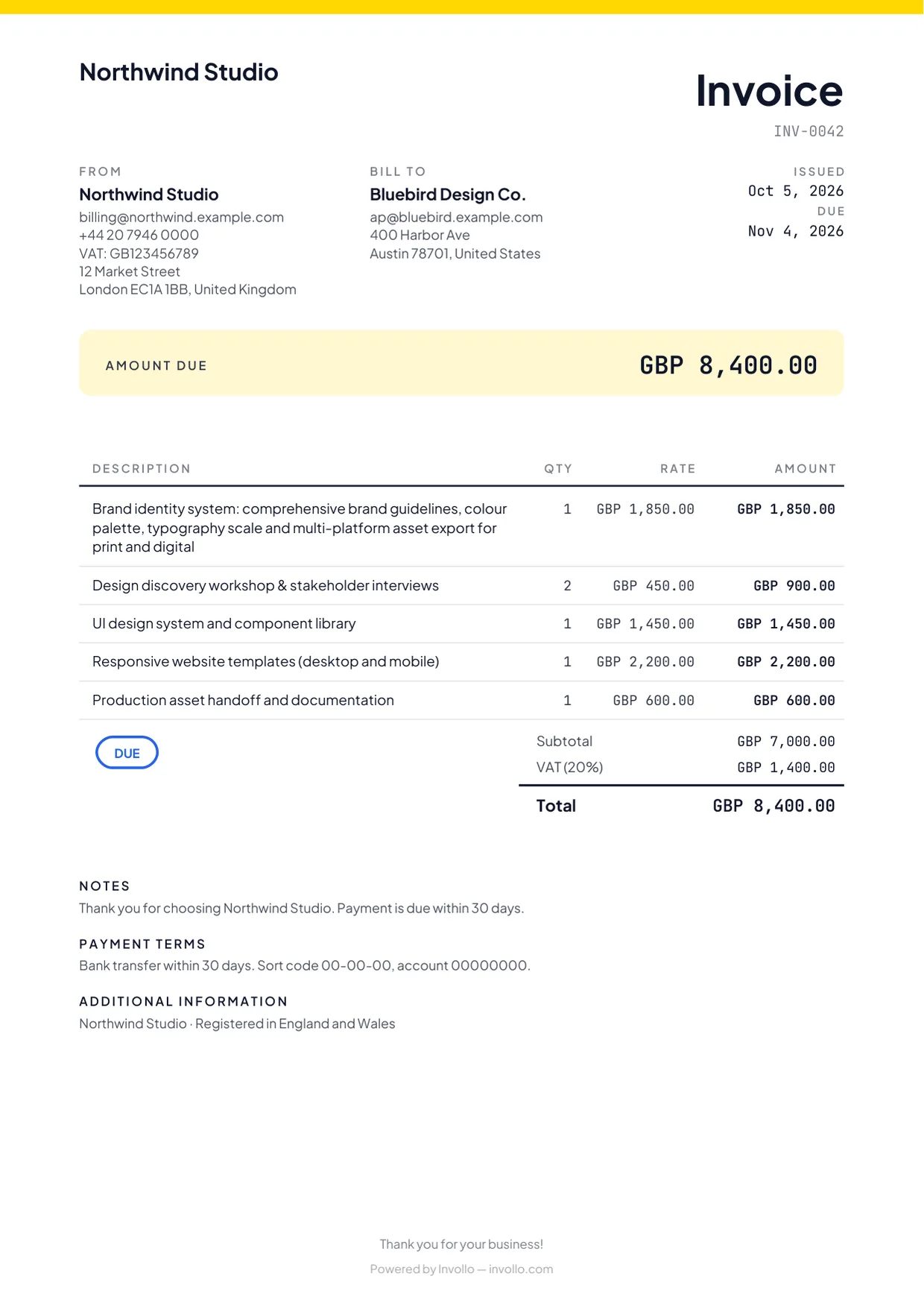
Send professional invoices in 26 currencies with embedded online payment links.
Record expenses
Track expenses by category and project, and add billable costs to client invoices.
Read the dashboard
Review revenue, outstanding receivables, expenses, and net income in your workspace currency.
What you get
The essentials, done properly
Branded invoices
Create professional invoices with customizable templates, tax calculations, and discount rules.
Online payments to your account
Clients pay directly by card, PayPal, or bank transfer. Invollo takes 0%; your bank's or payment provider's own fees still apply.
Automatic overdue reminder
One polite automatic email reminder goes out when an invoice becomes overdue.
Recurring schedules & retainers
On Pro and Business, schedule recurring invoices and track project hours against client retainer allowances.
Expense tracking
Log operating costs across ten categories and re-bill client project expenses easily.
Dashboard and reports
Track revenue, outstanding balances, expenses, and net income in your workspace currency.
The fine print, up front
What a small business can rely on
0% of your client payments
Clients pay you directly into your bank, Stripe or PayPal account. Invollo never holds the money and takes 0%; your bank's or payment provider's own fees still apply.
A free plan that never expires
The Free plan costs nothing, has no trial clock, and never expires. Upgrade only when you need more.
Export your data anytime
Download your records as CSV or JSON whenever you like, on any plan. No lock-in.
Built by a small team
Invollo is built and supported by a small team in Chattogram, Bangladesh. You can reach the people who make it through the support page.
FAQ
Questions small businesses ask
- Is Invollo accounting software?
- No. Invollo handles billing, time, and expenses, exporting CSV/JSON data for your accountant.
- What does the dashboard show?
- It displays revenue, outstanding and overdue balances, tracked hours, expenses, and net income.
- How do our clients pay?
- Clients pay via bank transfer, Stripe, or PayPal directly to you. Invollo takes 0%; your bank's or payment provider's own fees still apply.
- How much does Invollo cost for a small business?
- You can start on the Free plan, with no time limit. Paid plans are billed monthly and remove the limits; the pricing page shows what each plan includes.
- Can we pay for Invollo in Bangladesh?
- Yes. In Bangladesh you can pay for Pro or Business with bKash; payments from elsewhere are by card. Prices are on the pricing page.
Related
See your business on one screen
Create a free account, send your first invoices and log this month’s expenses. The dashboard fills in as you go.