Projects & ExpensesUpdated October 5, 2026
Creating projects and deliverables
Set up hourly or fixed-price client projects, then add deliverables once the project is created.
Projects organize your billable work and tracked hours by client.
How to create a project
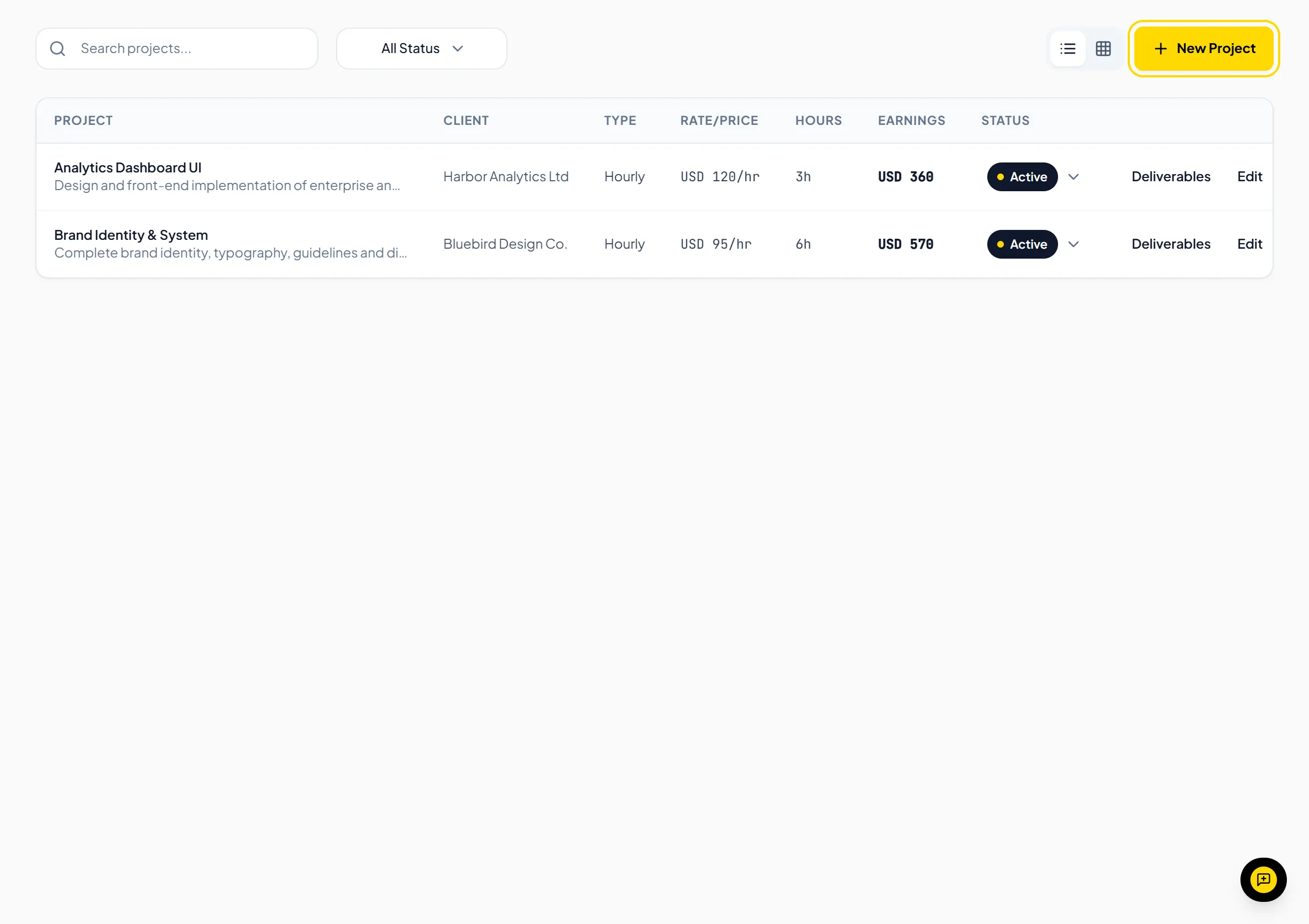
- Navigate to Projects in the sidebar and click New Project.
- Enter the Project Name and select the Client.
- Choose the Project Type: Hourly Rate or Fixed Price, and enter the rate or price.
- Add a Description and set the Status (Active, Completed or On Hold).
- Click Create Project.
- Click Deliverables on the project's row, then Add Deliverable.
Helpful TipThe Free plan supports up to 3 active projects. Pro and Business plans include unlimited active projects.
Was this guide missing something or do you need further clarification?Contact Support
Related Guides
Billing tracked hours on an invoice
Pick an hourly project on an invoice to add one line with the project's logged hours at its hourly rate.
Read guide
Logging business expenses
Record business costs with a category, amount, currency, date, and project, and mark them billable to a client.
Read guide
Installing and using the Windows desktop time tracker
Download Invollo Tracker for Windows 10/11, sign in, and track time against your projects.
Read guide
Ready to streamline your invoicing?
Start on Invollo’s free plan with no credit card required. Manage invoices, time tracking, and client billing in one place.
Free forever plan · No credit card required · 0% of your client payments