Team ManagementBusiness PlanUpdated October 5, 2026
Sending emails from your own domain with Resend or Brevo
Connect your own Resend or Brevo account on Business to send invoices from your domain.
On the Business plan, you can connect your own transactional email provider so all invoice and quotation emails are sent directly from your own company domain name.
Supported providers and setup
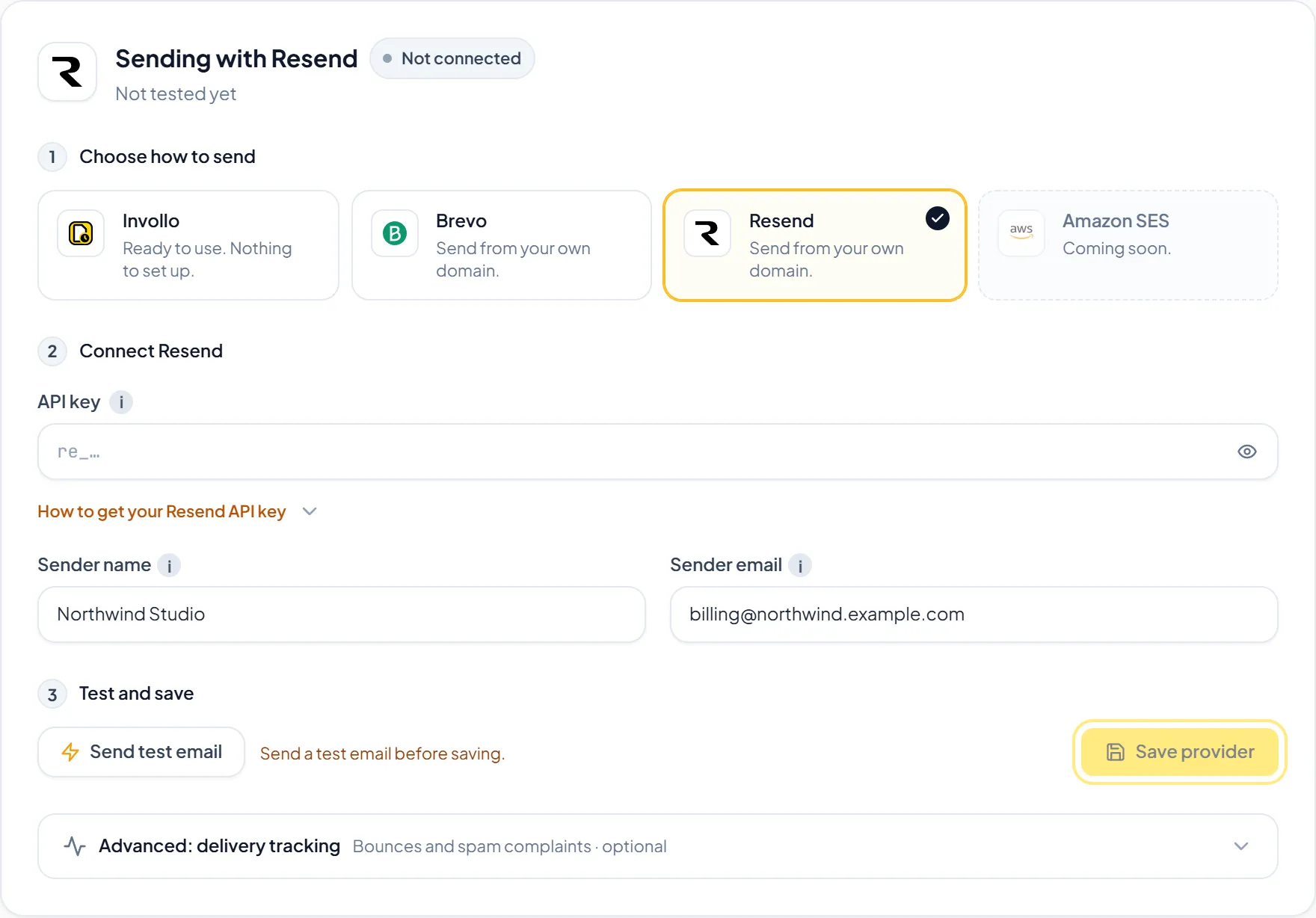
- Navigate to Settings and click the Email Settings tab.
- Select your email provider: Resend or Brevo.
- Enter your provider API key, a Sender name, and a Sender email on a domain you verified with that provider.
- Click Send test email. The key is stored only after the test passes.
- Click Save provider. Client emails are then sent through your own provider from your domain.
Helpful TipSending through your own Resend or Brevo account shows your own domain to clients.
Was this guide missing something or do you need further clarification?Contact Support
Related Guides
Inviting team members with Owner, Admin, and Member roles
Collaborate with team members on the Business plan with 3 included seats and clear roles.
Read guide
Comparing Free, Pro, and Business plan allowances
Learn the differences between Free, Pro, and Business plans and how monthly resets work.
Read guide
Troubleshooting email delivery, payments, and the tracker
Quick fixes for common problems with invoice emails, payment buttons, and desktop tracker connection errors.
Read guide
Ready to streamline your invoicing?
Start on Invollo’s free plan with no credit card required. Manage invoices, time tracking, and client billing in one place.
Free forever plan · No credit card required · 0% of your client payments