Clients & Client PortalUpdated October 5, 2026
What clients see and do in the client portal
An overview of the client view: invoices, quotations, projects, deliverables, and shared work logs.
The Client Portal is a private area where your client can see the work and documents you share with them.
Client portal capabilities
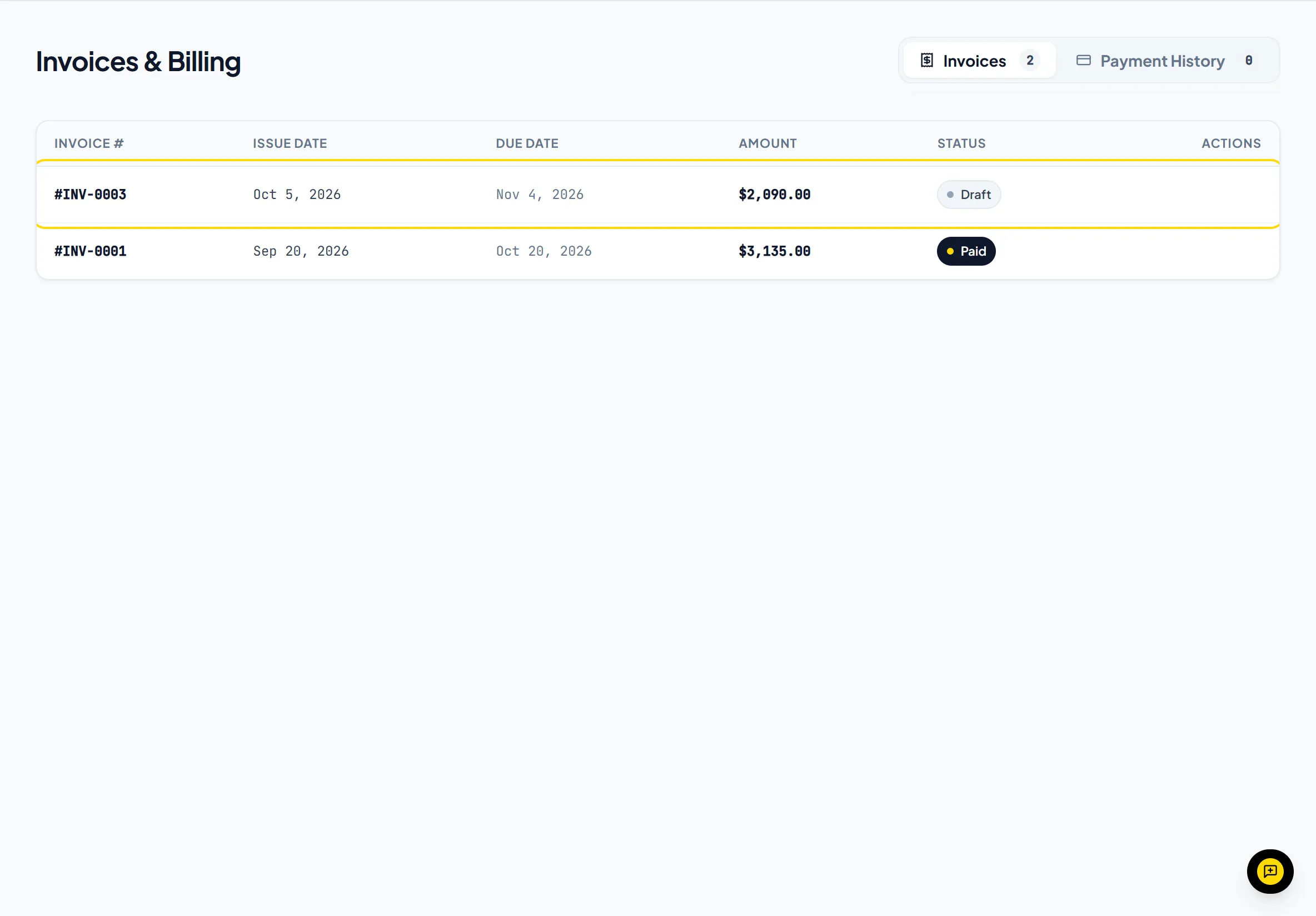
- Invoices: Clients can view their invoices and pay online.
- Quotations: Clients review quotations and accept them with an e-signature.
- Projects & Deliverables: Clients can follow their projects and deliverables.
- Work Logs & Screenshots: Clients see time entries marked Visible to Client, with their screenshots.
Important NoteClients only see records explicitly associated with their company. They never have access to other clients or your internal financial reports.
Was this guide missing something or do you need further clarification?Contact Support
Related Guides
Inviting clients to access the client portal
Send secure invite links so clients can log in at app.invollo.com/client/signin.
Read guide
How clients accept and e-sign quotations
Learn how clients accept quotations online with a typed full name and a drawn signature.
Read guide
How periodic screenshots work in the desktop tracker
Learn how desktop tracker screenshots are taken, how to set the interval, and how client visibility works per time entry.
Read guide
Ready to streamline your invoicing?
Start on Invollo’s free plan with no credit card required. Manage invoices, time tracking, and client billing in one place.
Free forever plan · No credit card required · 0% of your client payments