Quotations & E-SignaturesUpdated October 5, 2026
How clients accept and e-sign quotations
Learn how clients accept quotations online with a typed full name and a drawn signature.
Clients accept Invollo quotations online with an e-signature designed to meet the requirements of e-signature laws such as the US ESIGN Act and EU eIDAS for simple electronic signatures.
The client signature experience
- The client opens the secure quotation link in their browser, or from Quotations in the Client Portal.
- They review the line items, notes and total.
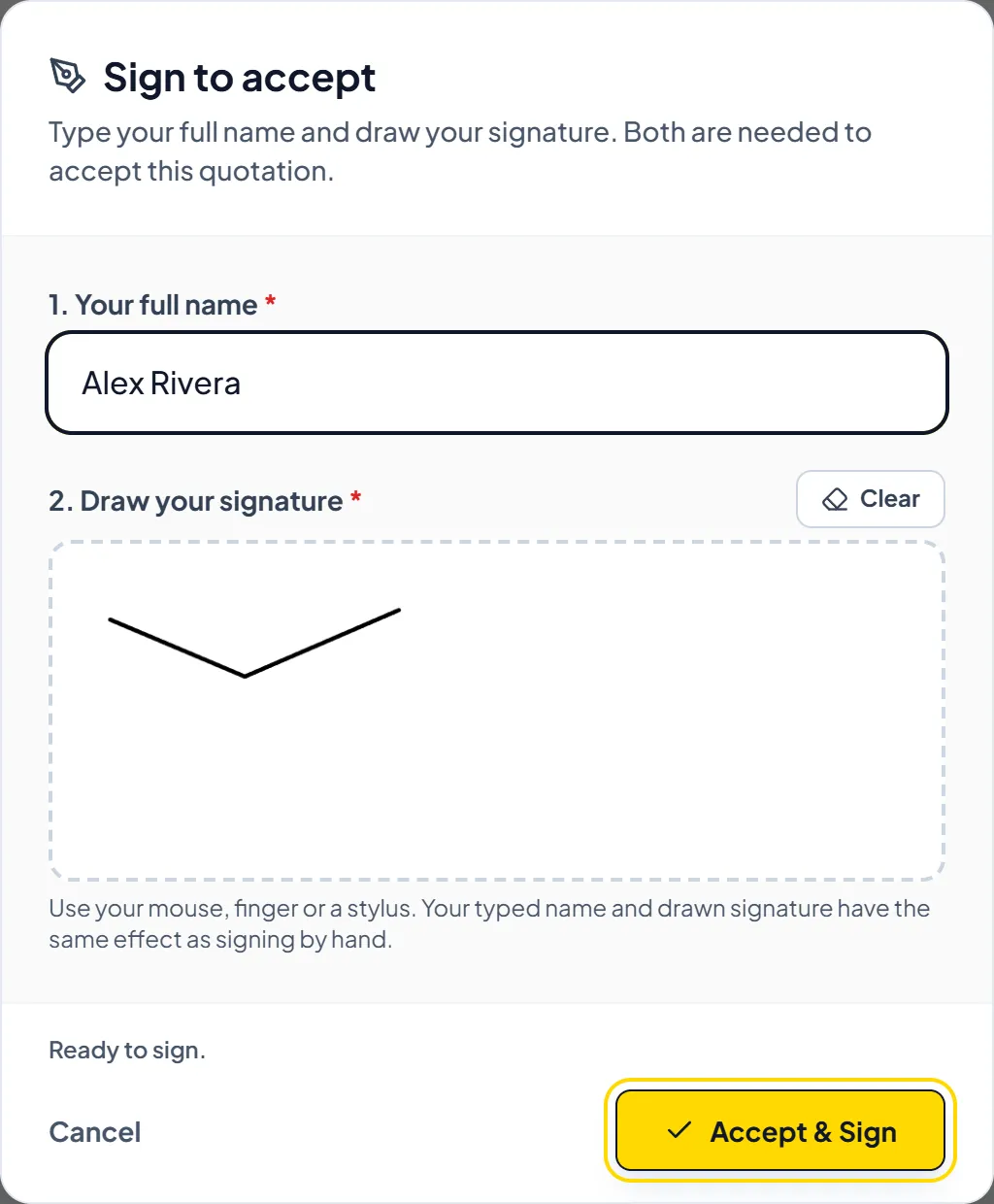
- To accept, the client clicks Accept Quotation, then Accept & Continue, types their full name and draws their signature on screen (both are required), then clicks Accept & Sign.
- Invollo records the acceptance with a SHA-256 proof, the signer's name, the timestamp and the IP address.
- You get an in-app notification naming the signer.
Important NoteOnce accepted, the client can't sign or change it again; the signature and its SHA-256 proof stay on record.
Was this guide missing something or do you need further clarification?Contact Support
Related Guides
Creating and sending proposals and quotations
Create quotations with line items, an expiry date, notes and terms, then send them to your client to accept online.
Read guide
Converting an accepted quotation to an invoice
Turn an accepted quotation into a new invoice pre-filled with its client, line items, tax, discount, and notes.
Read guide
What clients see and do in the client portal
An overview of the client view: invoices, quotations, projects, deliverables, and shared work logs.
Read guide
Ready to streamline your invoicing?
Start on Invollo’s free plan with no credit card required. Manage invoices, time tracking, and client billing in one place.
Free forever plan · No credit card required · 0% of your client payments