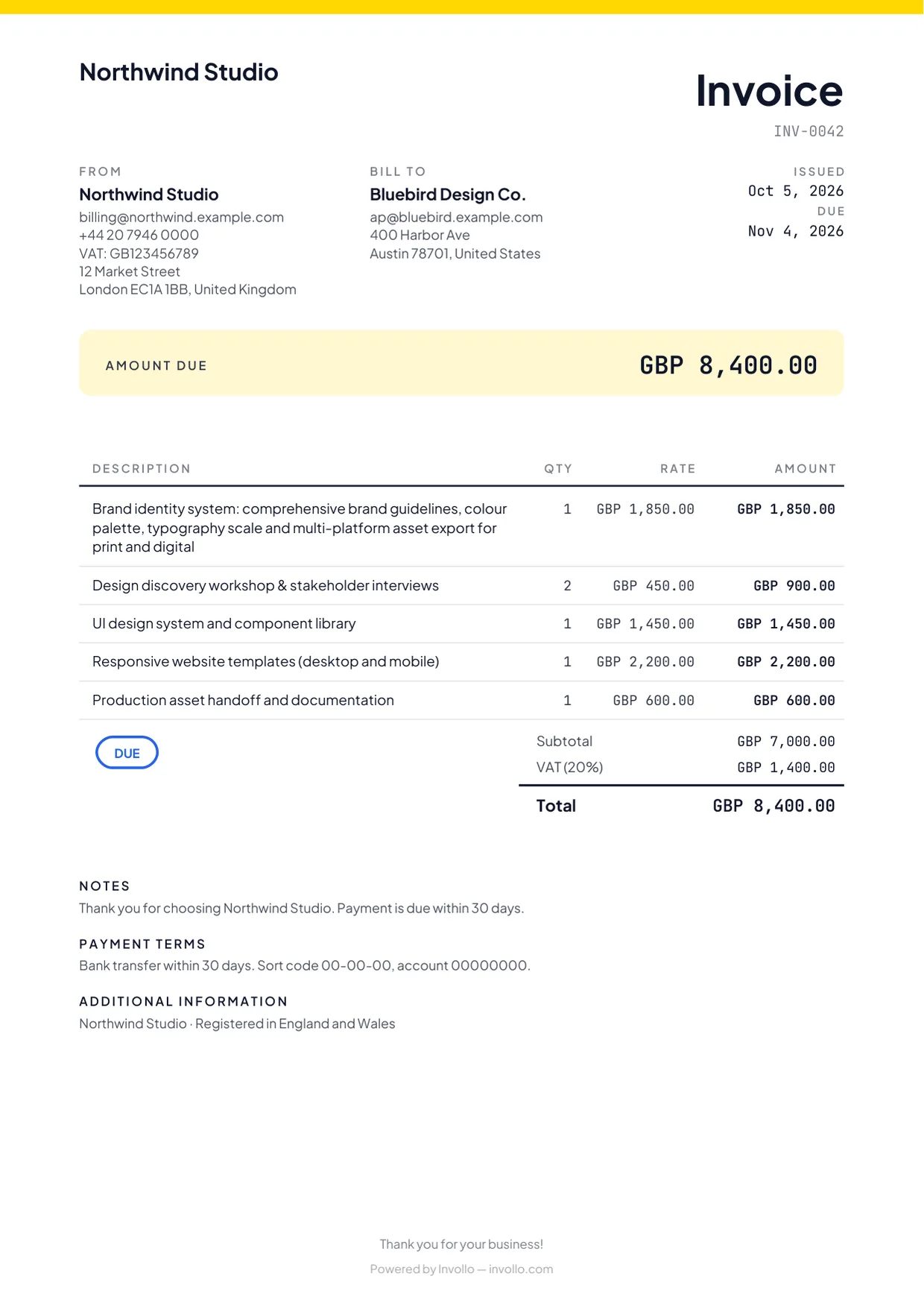
The best free invoice software depends on which limit you'll hit first. Of the tools compared here, Zoho Invoice has the broadest free feature set (up to 500 invoices a year); Wave and Square offer unlimited invoices but charge a fee on each card payment and only serve certain countries; Invoice Ninja is free for up to 5 clients, or self-hosted; PayPal invoicing has no plan at all and charges only when you're paid; and Invollo's free plan suits freelancers who track time and want clients to pay through their own Stripe or PayPal account, but it caps you at 3 active clients and 5 invoices a month.
The short version
| Tool | Free plan limits | Online payments | Suits |
|---|---|---|---|
| Zoho Invoice | Up to 2 users, 3 projects, 500 invoices a year; "Powered by Zoho Invoice" branding | Through connected payment gateways; the gateway's fees apply | Small businesses that want reminders, recurring invoices and a customer portal for free |
| Wave (Starter) | Unlimited invoices and estimates; one user; automated late-payment reminders need the paid Pro plan | 2.9% + $0.60 per card payment (3.4% + $0.60 Amex) | US and Canadian businesses that want free bookkeeping too |
| Invoice Ninja (Free) | Up to 5 clients, unlimited invoices; "Created by Invoice Ninja" shown; automatic reminders are on Pro | Through gateways such as Stripe, PayPal, Square or GoCardless; their fees apply | Freelancers with a few clients, or anyone who can self-host |
| PayPal invoicing | No plan or monthly fee; creating and sending invoices is free | 3.49% + $0.49 (PayPal, Venmo); 2.99% + $0.49 (cards, Apple Pay) | Occasional invoices to clients who already use PayPal |
| Square Invoices (Free) | $0 a month; unlimited invoices, recurring invoices and estimates | 3.3% + 30¢ per card payment through an invoice on the free plan | Businesses in Square's countries that also take in-person payments |
| Invollo (Free) | 1 user, 3 active clients, 5 invoices and 5 quotes a month, 3 active projects, 10 emails a day sent through Invollo | Through your own Stripe or PayPal account; Invollo takes 0%, the gateway's fees apply | Freelancers who track time and bill clients in other currencies |
How we compared them
We looked at what a freelancer or small business hits first on a free plan: caps on clients, invoices or users; the fee on each online payment; whether automatic reminders, quotes and a client portal are included; where the service is available; and the branding on your invoices. We didn't score the tools or rank them, because the right answer depends on how you work. FreshBooks isn't included: it doesn't have a free plan, only a 30-day free trial. For one-to-one detail, see our comparisons of Invollo with FreshBooks, Wave, Zoho Invoice and Bonsai, or all comparisons.
Zoho Invoice
Zoho Invoice's pricing page describes the product as free and lists the limits: up to two users, a maximum of three projects and up to 500 invoices a year, with "Powered by Zoho Invoice" branding. The free plan lists quotes, recurring invoices, automated payment reminders, expense tracking, time logging with projects and a customer portal. Clients pay online through the payment gateways you connect.
- Suits: small businesses and freelancers who want most invoicing features without paying, and who send fewer than about 40 invoices a month.
- Watch out for: the three-project limit if you track time by project, and Zoho's data retention policy: its pricing FAQ says that if a user is inactive for over 180 days, their data is deleted in the following 20 days.
Wave
Wave's free Starter plan, on its pricing page, includes unlimited estimates, invoices, bills and bookkeeping records. Online card payments cost 2.9% + $0.60 per transaction (3.4% + $0.60 for Amex) on Starter. Automated late-payment reminders and automatic bank transaction imports are part of the paid Pro plan, and Starter is for a single user.
- Suits: businesses in the US and Canada that want free double-entry bookkeeping alongside invoicing.
- Watch out for: availability. Wave's pricing is in USD and CAD and its payments terms are written for US and Canadian businesses, so it isn't a fit if you're based elsewhere.
Invoice Ninja
Invoice Ninja's hosted Free plan, on its pricing page, covers 5 clients with unlimited invoicing, invoices branded with your logo, online payments, recurring invoices and auto-billing, projects with billable time, expenses and a client portal with deposits and partial payments. The paid Pro plan adds unlimited clients, removes "Created by Invoice Ninja" and adds automatic late-payment reminder emails. Clients pay through a gateway you connect, such as Stripe, PayPal, Square or GoCardless. Invoice Ninja is also open source, and a self-hosted version is available.
- Suits: freelancers with up to five clients, and technical users who are happy to run their own server.
- Watch out for: the 5-client cap, and no automatic reminders on the free hosted plan.
PayPal invoicing
PayPal's invoicing page says creating and sending invoices is included with your account. You pay when a client pays: in the US, 3.49% + $0.49 for PayPal and Venmo payments and 2.99% + $0.49 for debit and credit cards and Apple Pay. PayPal's business fee page lists an additional percentage for international transactions and a spread on currency conversion. Recurring invoices and automatic reminders are included.
- Suits: people who send a few invoices to clients who already pay with PayPal.
- Watch out for: the fee on every payment, which matters more as invoices grow, and the extra international and conversion charges for clients abroad. PayPal also isn't available in every country.
Square Invoices
Square's invoices pricing page lists a free plan at $0 a month with unlimited invoices, recurring invoices and estimates. On the free plan, card payments made online or through an invoice cost 3.3% + 30¢ in the US. Paid plans add features such as custom invoice templates and lower card rates.
- Suits: businesses that already use Square for in-person payments.
- Watch out for: availability, since Square only operates in some countries, and the processing fee on each card payment.
Invollo
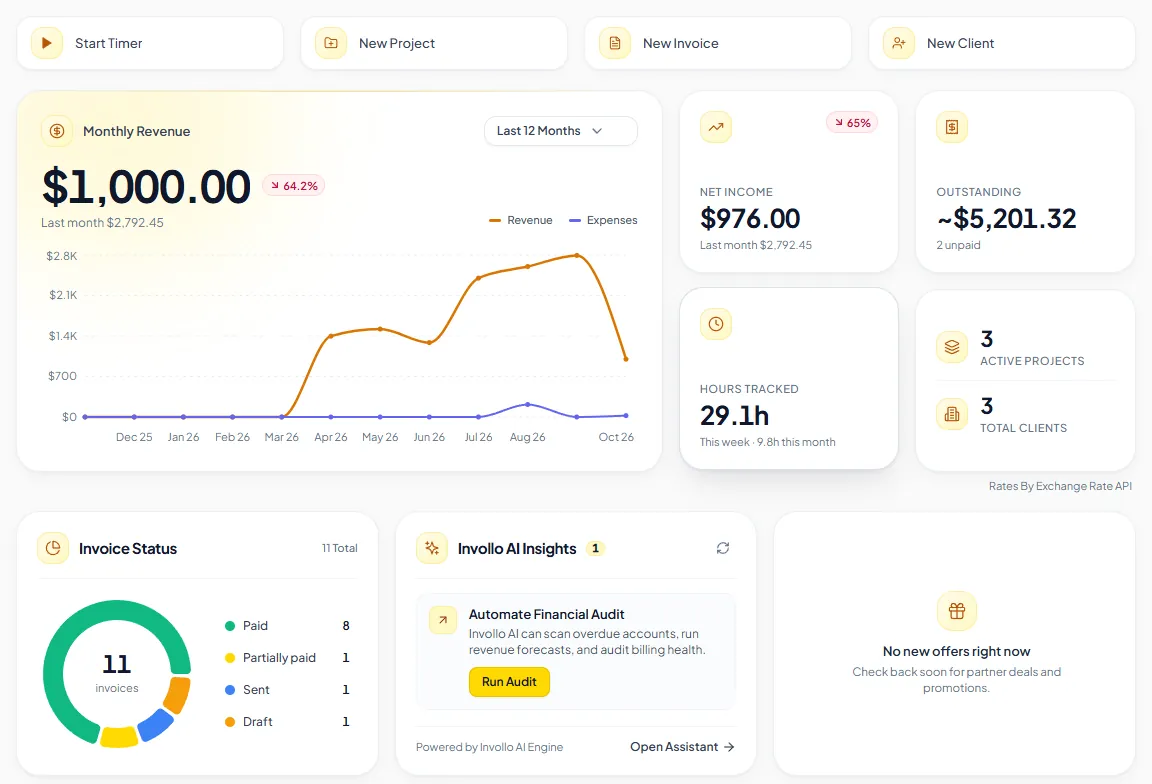
Invollo's Free plan has no time limit and needs no credit card. Its limits, from our pricing page: one user, 3 active clients, 5 invoices and 5 quotes per calendar month, 3 active projects and 10 emails a day sent through Invollo. "Powered by Invollo" appears on PDFs, emails, the public invoice page and the client portal footer. Downgrading never deletes data; the limits only block new clients, invoices, quotes and projects beyond the allowance.
What the free plan includes:
- Invoices in 26 currencies with tax, discounts, partial payments, automatic overdue reminders and a public payment link.
- Clients pay through your own Stripe or PayPal account (PayPal in 24 of the 26 currencies, not BDT or INR), or by bank transfer that you record by hand. Invollo takes 0% of client payments; the gateway's fees still apply.
- Quotes that clients accept with their typed name and drawn signature, then convert to invoices.
- Time tracking with a web timer, a Chrome extension and a desktop tracker for Windows that can take periodic screenshots, which you should disclose to everyone involved.
- A client portal, expenses, reports, CSV/JSON export and Invollo AI with monthly credits.
- Suits: freelancers who bill hourly, track time and invoice clients in other currencies.
- Watch out for: the 3-client and 5-invoice limits, which most working freelancers will outgrow. Recurring invoices are on Pro and Business, and Invollo has no accounting or bank feeds and no native mobile apps.
How to choose
- Check where you're based. Wave serves the US and Canada, and Square operates in a limited set of countries. If you're elsewhere, start with the tools that work in your country.
- Count your clients and invoices. More than 3 active clients rules out Invollo Free, more than 5 rules out Invoice Ninja Free, and more than about 40 invoices a month (500 a year) rules out Zoho Invoice's free plan.
- Look at how clients pay. If most invoices are paid by card, the per-payment fee matters more than the plan price. If clients pay by bank transfer, processing fees matter less.
- Decide whether you need reminders. Automatic overdue reminders are free on Zoho Invoice, PayPal and Invollo, and paid on Wave and Invoice Ninja.
- Think about time tracking and quotes. If you bill by the hour, a tool that turns tracked time into invoice lines saves retyping.
- Check that you can leave. Make sure you can export your clients and invoices before you commit.
Billing clients in other countries? Our guide to international invoicing covers currencies, VAT and payment options, and our guide to automating invoicing covers reminders and payment links.
Sources
Official pricing pages, all checked on 3 October 2026: Zoho Invoice, Wave, Invoice Ninja, PayPal invoicing and PayPal business fees, Square Invoices, FreshBooks, and Invollo.