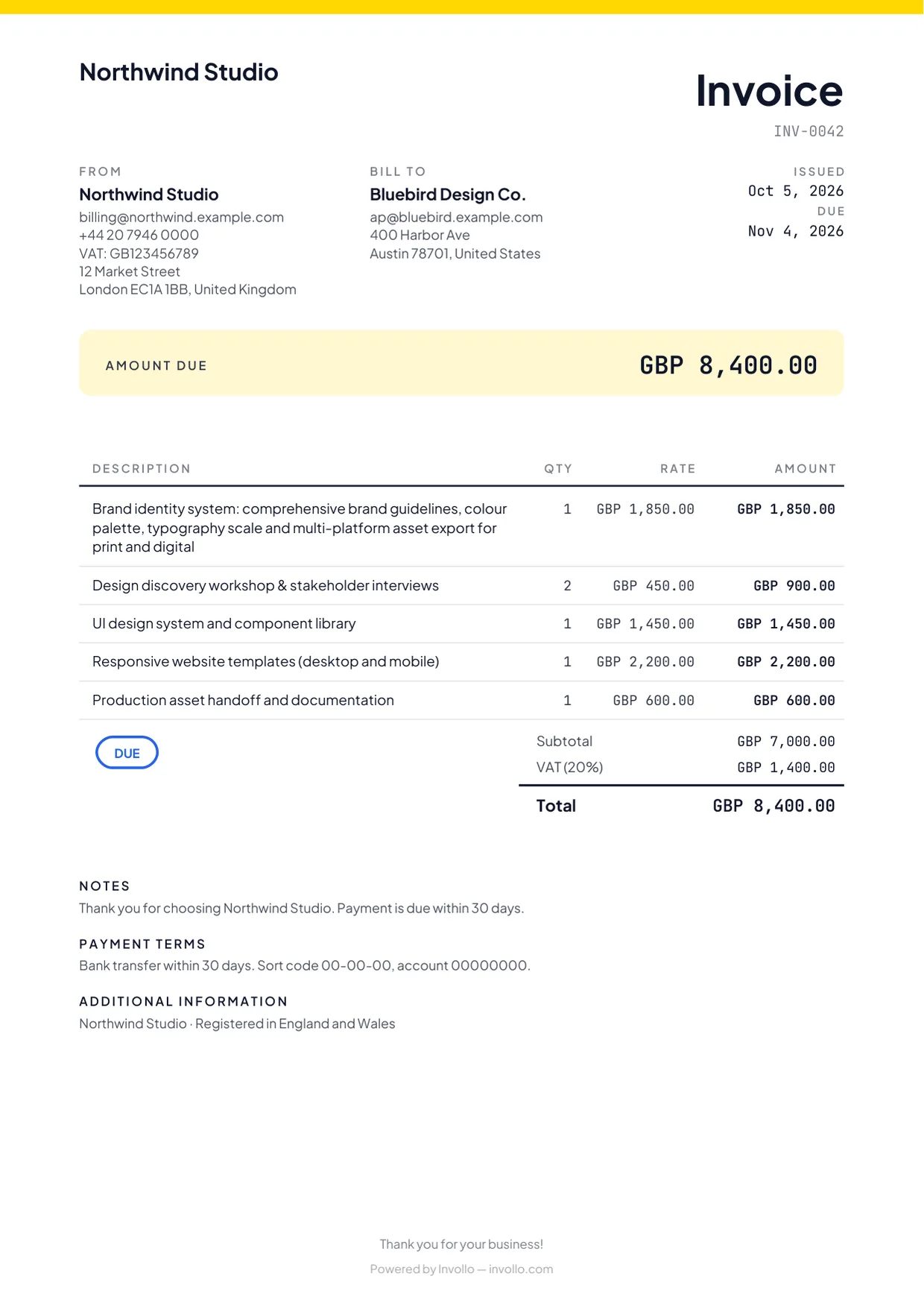
To send an international invoice, bill in the currency you agreed with the client, show both parties' full legal details and tax numbers, describe the work and its dates, state how VAT or other tax applies, and give at least one way to pay that works across borders: a bank transfer with your IBAN or SWIFT/BIC details, a card payment link, or PayPal. To get paid on time, agree the currency, due date and who covers transfer fees before the work starts, and follow up as soon as the invoice is overdue. This guide covers each step and links to the official VAT and late-payment rules and to each payment provider's own fee page.
This is general information, not tax or legal advice. Tax rules depend on where you and your client are based and they change, so check your own situation with an accountant. The sources and fee pages below were checked on 3 October 2026.
- Fields: legal names, tax numbers, a sequential number, unambiguous dates, an ISO currency code and full payment instructions.
- VAT: the UK and the EU tax most B2B services where the customer belongs; EU cross-border B2B invoices show the customer's VAT number and "reverse charge".
- Payment: bank transfers suit large invoices; card links and PayPal are faster but cost a percentage.
- Terms: agree currency, due date, bank charges and late-payment interest before you start.
What to put on an international invoice
Most countries expect the same core details. This list combines what HMRC requires on a UK VAT invoice (VAT Notice 700/21, section 4.1) and what the European Commission lists for EU VAT invoices. If you aren't VAT-registered, some lines won't apply, but the relevant ones make the invoice easier for a foreign accounts team to approve.
- Your details: legal or trading name, address and, if you have one, your VAT, GST or tax number.
- Your client's details: the company's legal name (not just your contact's), its address and, for business clients that account for VAT themselves, its VAT number.
- A unique, sequential invoice number, in one sequence for your business.
- Dates: issue date, work period and due date, written as "3 October 2026" or 2026-10-03. "03/10/2026" means 3 October in the UK and March 10 in the US.
- The work: what you delivered, with quantity (hours, days, units) and rate.
- The currency: the ISO code (USD, EUR, GBP, AUD) next to amounts. A bare "$" could be US, Canadian, Australian or other dollars.
- Tax: the rate and amount, or why none is charged, such as "Reverse charge".
- Payment instructions: account name, IBAN or account number, SWIFT/BIC and bank name, or a payment link, plus the reference to quote.
- Payment terms and the client's purchase order (PO) number if they gave you one; many larger companies won't pay without it.
Add an exchange-rate note when tax is due in another currency
Some tax authorities want the tax figure in their own currency. HMRC, for example, allows net amounts on a UK VAT invoice in any currency but requires the total VAT in sterling (VAT Notice 700/21, section 4.1). If a rule like that applies, state the rate you used, its source and its date. Even when no tax is due, noting the rate makes your own bookkeeping easier.
Which currency should you invoice in?
Invoicing in your client's currency is easier for them, but you carry the exchange-rate risk until payment and pay for the conversion. Invoicing in your own currency moves that risk to the client, which some accept and others push back on.
- Agree the currency in the contract or quote, not at invoice time.
- Match it to how you'll receive it. If you hold a USD or EUR account, invoicing in that currency saves a conversion.
- For long projects, add a rate clause, such as reviewing prices if the rate moves by more than an agreed percentage.
Example (sample numbers): you quote a client EUR 10,000 for a three-month project and convert the payment to US dollars when it arrives. At an exchange rate of 1.10 that is USD 11,000; if the rate has moved to 1.05 by the time the client pays, you receive USD 10,500, before any conversion fee. Had you quoted USD 11,000 instead, the client would carry that change. Neither choice is wrong: decide who carries the risk, and write it into the quote.
VAT on cross-border services: the basics
Tax on services sold across borders depends on the "place of supply". For most business-to-business (B2B) services, the UK and the EU follow the same general rule: the service is taxed where the customer belongs, not where you are. Selling to private individuals (B2C) follows different rules.
Business clients in another EU country
If you're a business in one EU country selling services to a business in another, you usually don't charge VAT. Your customer pays VAT in their own country through the reverse charge procedure (Your Europe, cross-border VAT). The invoice must show the customer's VAT identification number and the words "reverse charge" (European Commission, invoicing rules). Check the customer's VAT number in the Commission's VIES checker and keep the result with your records.
Invoicing from or to the UK
HMRC's VAT Notice 741A applies the same B2B rule: the place of supply is where the customer belongs (section 6.3). If that place is outside the UK, a UK supplier doesn't charge UK VAT (section 2.2). A UK VAT-registered business buying services from an overseas supplier accounts for the VAT itself under the reverse charge (section 5). As proof a customer is in business, an EU customer's VAT number is the best evidence; for others, keep commercial documents showing their business activity (section 6.3).
Private clients, and clients outside the EU
Services to customers outside the EU are usually not charged EU VAT. For private consumers inside the EU, an EU business usually charges VAT at its own country's rate, but telecommunications, broadcasting and electronic services are taxed in the customer's country, and a EUR 10,000 threshold applies to some cross-border sales (Your Europe). If you sell to individuals rather than businesses, or you're registered for GST or sales tax anywhere, get advice before you send the first invoice.
US clients: Form W-8BEN
US clients that pay non-US contractors usually ask for Form W-8BEN (individuals) or W-8BEN-E (entities) to document your foreign status. The IRS instructions say that failing to provide the form when asked "may lead to withholding at the foreign-person withholding rate of 30%", and that you give the form to the person who asked for it, not to the IRS (Instructions for Form W-8BEN). Our step-by-step W-8BEN guide and the free W-8BEN generator walk you through it.
How clients can pay an international invoice
The payment method decides how much of the invoice you actually receive, and how fast. Fees differ by country and change often, so use the table as a map of fee types and check each provider's page for your own country.
| Method | How the client pays | Fees to look for | Works well for |
|---|---|---|---|
| International bank transfer (SWIFT) | From their bank to your IBAN or account number, using your SWIFT/BIC code | Sending bank fee, intermediary bank fees, your bank's receiving fee, exchange-rate margin | Large invoices; corporate clients whose finance teams pay by bank |
| Card via Stripe | Opens a payment link and pays by card | Percentage plus fixed fee per payment, more for international cards and currency conversion | Smaller invoices; clients who want to pay immediately |
| PayPal | Pays from a PayPal balance or card | Percentage plus fixed fee, an extra percentage for international transactions, a currency conversion spread | Clients who already use PayPal |
| Multi-currency account (for example Wise or Payoneer) | Sends a domestic transfer to local account details you hold in their currency | Fees for some incoming payment types, conversion fees, withdrawal fees | Freelancers with clients in several currencies |
Bank transfer
International transfers can pass through intermediary banks that each take a fee, so you may receive less than you invoiced. Banks usually let the sender choose to pay all charges, share them, or pass them to you. If you need the full amount, say so in your terms ("All bank charges are paid by the sender").
Card payments through Stripe
Stripe's fees depend on your account's country. Its US pricing page (checked 3 October 2026) listed 2.9% + 30¢ per domestic card payment, plus 1.5% for international cards and 1% when currency conversion is needed. On a USD 2,000 invoice paid with a non-US card and no conversion, that is 4.4% + 30¢, or USD 88.30. Stripe accounts exist only in certain countries.
PayPal
PayPal's US business fee page (updated 1 October 2026) lists a percentage plus a fixed fee per commercial transaction, an extra percentage for international transactions and a currency conversion spread. Availability varies by country (PayPal's country list).
Wise, Payoneer and similar accounts
These aren't checkout buttons: they give you local account details in other currencies, so a client can pay by domestic transfer, and you list those details on the invoice. Wise's pricing page lists free account details in a range of currencies, fixed fees for some incoming SWIFT payments and a conversion fee that varies by currency. Payoneer's pricing page lists free receiving into local receiving accounts, fees when payers use a card or bank debit, withdrawal fees and an annual fee for low-volume accounts. Availability depends on where you live.
Before you choose, work out what reaches your own bank account, not only the headline fee: for a sample amount, add up the receiving fee, the difference between the provider's exchange rate and the mid-market rate, and the fee for withdrawing to your local bank. Some countries also have rules on how money from abroad must be received or reported, so check your central bank's and tax authority's guidance. A small first payment from a new client tests the whole route before a large invoice depends on it.
If you're the one paying an international invoice
- Check the currency code and amount, and pay in the invoice currency unless agreed otherwise.
- Use the payment link if there is one; a card payment is usually quickest for small invoices.
- For a bank transfer, copy the details exactly and quote the invoice number as the reference.
- Compare the exchange rate. Your bank's rate may include a margin; a money-transfer service can cost less.
- Choose who pays the charges as agreed with the supplier.
- Confirm any change of bank details through contact details you already have. Emails announcing new bank details are a common fraud tactic.
- Keep the payment confirmation in case the money doesn't arrive.
Payment terms and late payment
Agree terms in the contract or quote and repeat them on each invoice: the actual due date (not only "Net 30"), a deposit for new clients abroad, the currency and accepted payment methods, who pays bank charges, and any late-payment interest or compensation you'll claim where the law allows it.
Some countries give businesses statutory rights when another business pays late:
- UK: if no payment date is agreed, payment is late 30 days after the customer gets the invoice or you deliver the service; agreed payment dates for business transactions must usually be within 60 days, unless a longer period is fair to both sides. You can claim interest at 8% plus the Bank of England base rate, and fixed recovery costs of £40, £70 or £100 depending on the size of the debt (GOV.UK, late commercial payments). The government announced tougher late-payment rules in March 2026; check whether they are in force before you rely on them.
- EU: if the contract fixes no payment period, interest becomes payable 30 calendar days after the client receives the invoice. The statutory rate is the ECB reference rate plus 8 percentage points, and you can claim a flat EUR 40 per late invoice (Your Europe, late payment, updated 5 August 2026).
Which of these applies to a cross-border contract depends on the law that governs it, so if you plan to rely on them, say so in the contract. In practice, a reminder a few days before the due date and a follow-up on the day it passes recover most late invoices without any legal steps. Our guide on automating invoicing and reminders covers that routine.
Sample international invoice layout
This example assumes an EU VAT-registered freelancer billing a business client in another EU country, so the reverse charge applies. The amounts are for illustration only.
| Invoice | INV-2026-041 |
| From | Your legal name or business name, full address, country; VAT number: [your VAT number] |
| Bill to | Client company's legal name, full address, country; VAT number: [client's VAT number]; PO: [client's PO number] |
| Dates | Issued 3 October 2026 · Work period 1–30 September 2026 · Due 17 October 2026 (14 days) |
| Line 1 | UX design, September: 32.5 hours × EUR 60.00 = EUR 1,950.00 |
| Line 2 | Usability test session (fixed price): 1 × EUR 400.00 = EUR 400.00 |
| Subtotal | EUR 2,350.00 |
| VAT | 0%, reverse charge |
| Total due | EUR 2,350.00 |
| How to pay | Card via the payment link, or bank transfer to IBAN [your IBAN], BIC [your BIC], reference INV-2026-041. All bank charges are paid by the sender. |
| Terms | Payment due by 17 October 2026. Late payments may incur statutory interest and compensation. |
Common mistakes that delay international payments
- A "$" or "€" without the currency code, or a currency change at invoice time.
- Billing a person instead of the legal entity, or leaving out the PO number.
- No client VAT number or "reverse charge" wording on an EU cross-border B2B invoice.
- Incomplete bank details, or an account name that doesn't match the invoice.
- No agreement on bank charges, so the payment arrives short.
- "Net 30" with no actual due date, or dates like "03/10".
- A PDF with no way to pay online, and no follow-up for weeks.
- Changing bank details by email without warning, which looks exactly like fraud.
How Invollo handles international invoices
Invollo is invoicing and time-tracking software; this section is about our own product, including what it leaves to you:
- 26 invoice currencies, including USD, EUR, GBP, CAD, AUD, JPY, BDT and INR. Reports convert to your workspace currency using daily exchange rates, and you can fix the rate on an individual invoice.
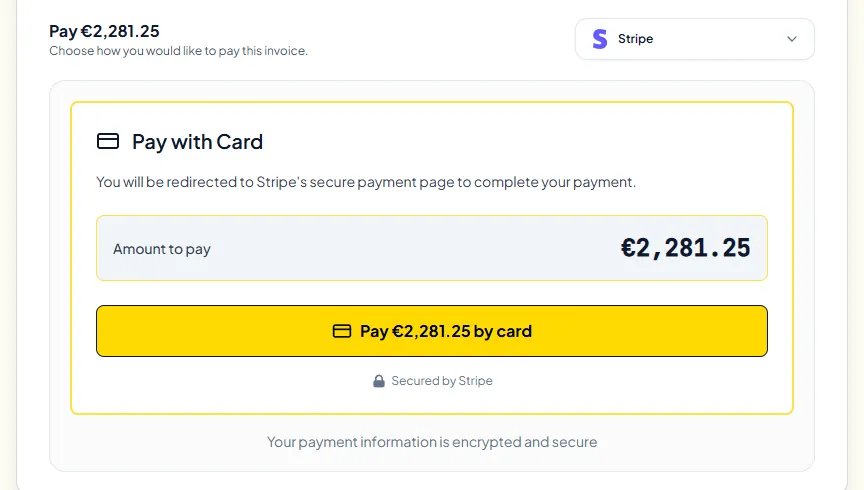
- Clients pay through your own Stripe or PayPal account: cards through Stripe (accepted currencies depend on your Stripe account), and PayPal in 24 of the 26 currencies (not BDT or INR). The money goes straight to you. Invollo takes 0% of client payments; gateway fees still apply.
- Bank transfers: add your bank details in the invoice notes or payment terms and record the payment by hand when it arrives. Partial payments are supported.
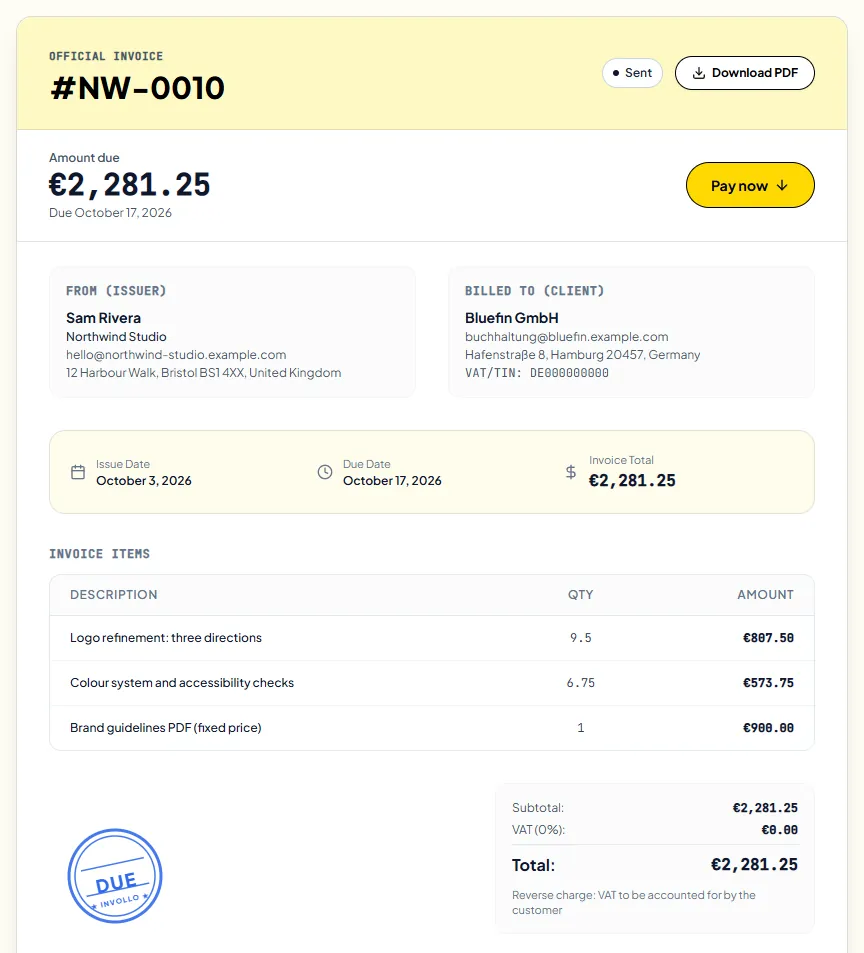
- Tax details: your VAT/GST or tax number and your client's can appear on the invoice, and you set the tax per invoice. Invollo doesn't decide which VAT rule applies or add reverse-charge wording; put that in the invoice notes.
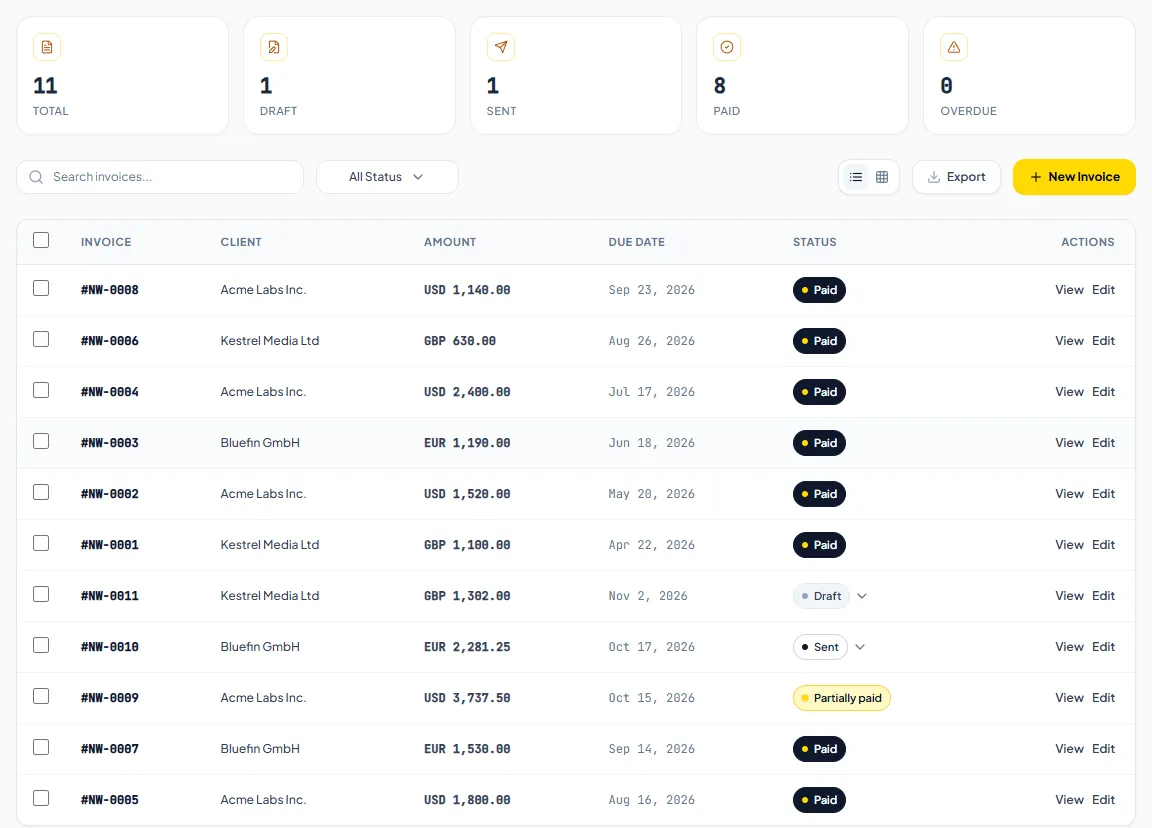
- A payment link and a client portal where clients see their invoices and quotes and pay online, plus automatic overdue reminders with the payment link.
See how it fits together on the invoicing feature page, or start on the free plan; the pricing page lists what each plan includes.
Sources
All checked on 3 October 2026.
- HMRC, Record keeping for VAT (VAT Notice 700/21), section 4.1
- HMRC, VAT place of supply of services (VAT Notice 741A), sections 2.2, 5 and 6.3
- European Commission, VAT invoicing rules
- Your Europe, Cross-border VAT and Late payment
- GOV.UK, Late commercial payments: charging interest and debt recovery
- IRS, About Form W-8BEN and Instructions for Form W-8BEN
- Fee pages: Stripe, PayPal (US), Wise, Payoneer